Run reports on components
If you need details on specific changes to components, you can request that Inspire create a report for you. You can create a report for one or more components, branches, or a map from the right-click menu, the Options menu, and the Selected Components panel.

 Tips and tricks
- In the Components browser, you can run a report on just one component. You can use the right-click menu on the component (or use the
 Options menu), select Reports, and then select the report you want: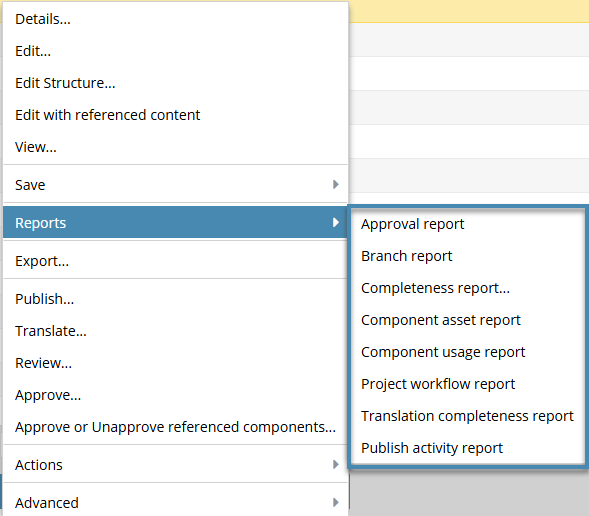
- Approval
 Work with approval reports
 - Branch Work with branch reports
 To see this option, you must select a branch marked as
  Has a branch or
  Has and Is a branch.
- Branch reports use the source of a branch to find all relationships for the selected component
- You cannot create a branch report from a component that has no branches or that is marked with
 Is a branch (a green branch icon).
- Completeness Work with completeness reports
- Component asset Work with component asset reports
- Component usage Work with component usage reports
- Project workflow Work with project workflow reports
- Translation completeness Work with translation completeness reports
- Publish activity Work with publish activity reports
 When you run a report on a single component, Inspire adds the component name to the report's CSV file name.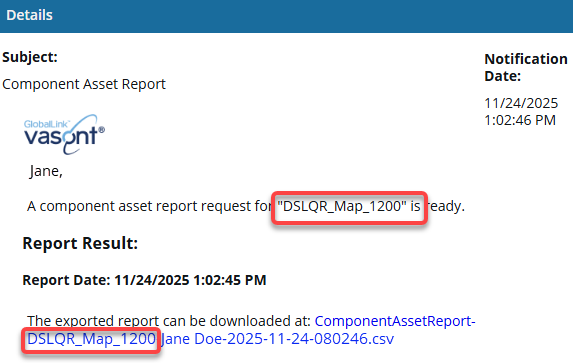
- Approval
- In the Components browser, you can also create reports from the Selected Components panel:
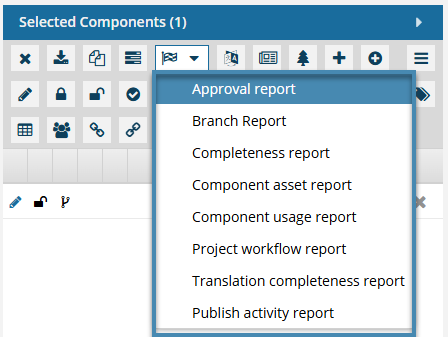 When you run a report on multiple components, Inspire always creates a separate report for each component. In this case, Inspire also adds the component name to the report's CSV file name.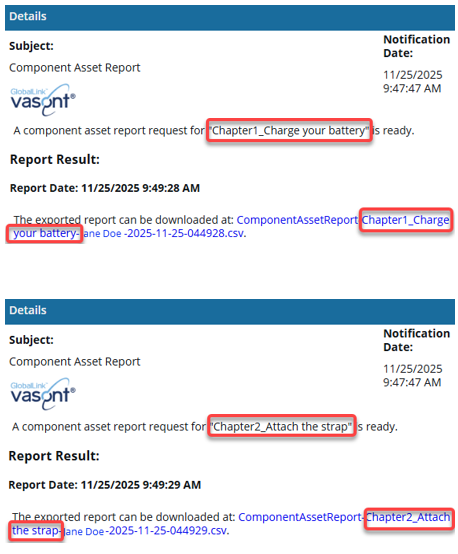
- Project variations.
- When you're working in the Components browser, the options you see on the Selected Components panel are different from those you can see when working in a Project.
- For more information, read Select multiple project components to update.
- All reports include the Report Date. Knowing the date and time that the report was requested is important if you are forwarding the report notification or the report itself.
- You can create other reports in different places in Inspire:
- Translation reports. After you send components to translation, you can verify details about the job by creating a report. Create a report for a translation job
- Review reports. As a participant in a review or an administrator, you can create a report to see if comments were discussed, if suggested changes were included in the final document, and the reason for accepting or rejecting the changes. Create a report for a review.
- Find/Replace reports. If you are an administrator or have permissions, you can create a report identifying the number of times the search text appears anywhere in each component you select. Create a report for all content type searches.
- Tableau reports. You can choose a type of report to see data published by Tableau on a nightly basis. Run a Tableau report.
- Translation reports. After you send components to translation, you can verify details about the job by creating a report.