Remove an assignment
You can use assignments to track project work. If the work is finished for an assignment, and you don't need to keep a copy, or the assignment was created by mistake, you can remove it from a project. Only project owners or administrators can remove an assignment.
 Use caution when deleting an assignment
- You can remove an assignment in any State: To Do, Ready to Claim, In Progress, Canceled, Completed-Accepted, Completed-Rejected.
- Removing an assignment can't be undone.
- Follow the recommended best practices before you remove an assignment:
- Complete an assignment or Cancel an assignment. If the assignment is in a State of To Do or In Progress, Inspire notifies the assignee that the assignment was removed.
- If you didn't create the assignment by mistake, then for audit purposes, Save a list of project assignments and workflows.

To remove an assignment:
-
Click
 Projects.
-
On the Project Management tab, double-click to open the project that contains the assignment you want to remove.
You can also open a project by:
- Right-clicking the project and then selecting Open.
- Clicking
 the Options menu and then selecting Open.
-
On the Assignments pane, right-click the assignment you want to remove and then select Remove.
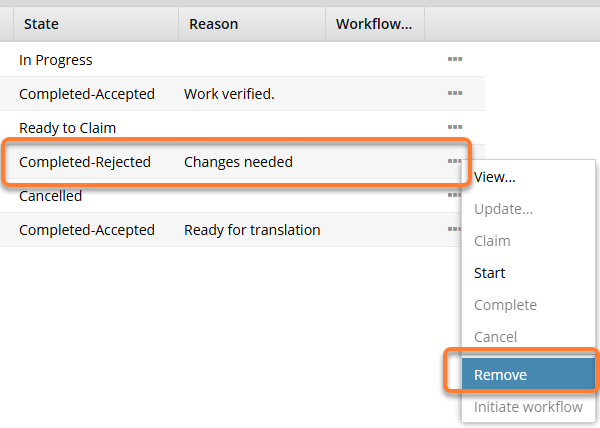
 You can also remove an assignment by selecting the assignment, clicking the Options menu, and then selecting Remove.
 -
On the Remove Assignment dialog, click Yes.
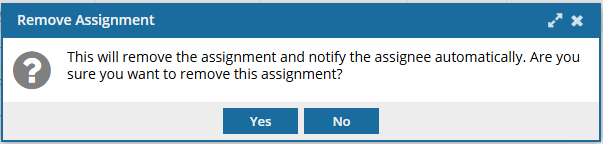
 Results: In the Assignments panel, the assignment is removed from the list.