View a component usage report for one component
You can select a component and create a report that shows the complete hierarchy of references. This report provides more details than when you select a component and choose Details to open the Where Used tab. On the Where Used tab, you can see the list of components that directly reference the selected component. If you want to trace those parent components all the way back to their first reference, you can create a component usage report.
 Tips and tricks
- The Component usage report option is also available when working in a project.
 View a component usage report for a project component
 - You can also run a report on multiple components. View a component usage report for multiple components
- You can see the Report Date before the table of data. Knowing the date and time that the report was requested is important if you are forwarding the report notification or the report itself.
- The report contains the following information:
- The hierarchy of the components that reference the selected component
- The same reference hierarchy, but showing the full filenames
- For more information, refer to Working with component usage reports.

To view a component usage report for one component:
-
Click
 Components.
-
In the Components pane, do one of the following:
- Use the Selected Components panel.
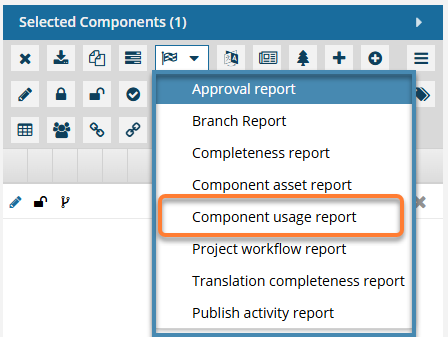
- Select the checkbox for the component you want to run a report on.
- On the Selected Components panel, select
 Reports, and then Component usage report.
- Use a menu.
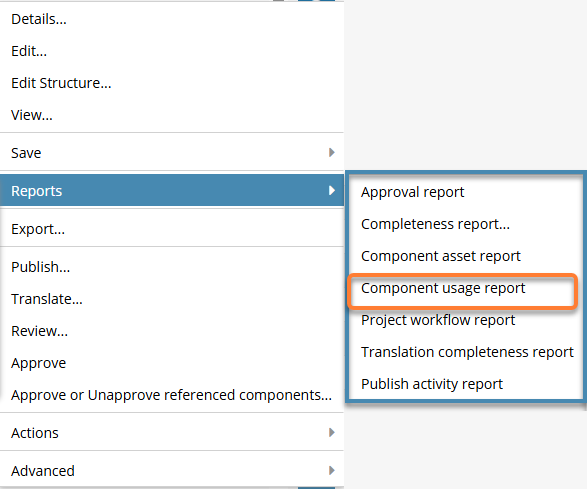
- In the component's row, right-click OR select
 the Options menu.
 - Select Reports, and then Component usage report.
- In the component's row, right-click OR select
- Use the Selected Components panel.
-
On the Convert Time screen, select one of the following options:
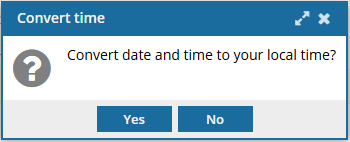
- Yes. Changes all dates and times in the report to reflect the Time Zone specified in your Profile. (To change your Time Zone, follow the steps in: Select your time zone.)
- No. Displays all dates based on the Time Zone where your Inspire server instance is located.
 Results:You see a notification that the report is being generated and another notification when the report has been created.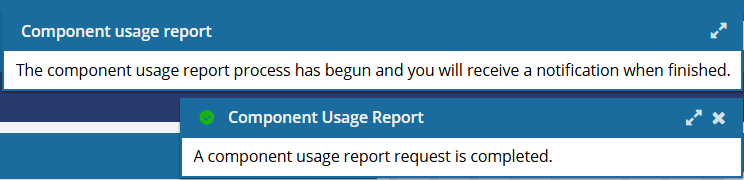
-
In the top menu, click
 Notifications.
 You do not receive a copy of the report in email or Slack, and it cannot be configured.
 -
From the list of notifications, select the one with a Subject of Component Usage Report.
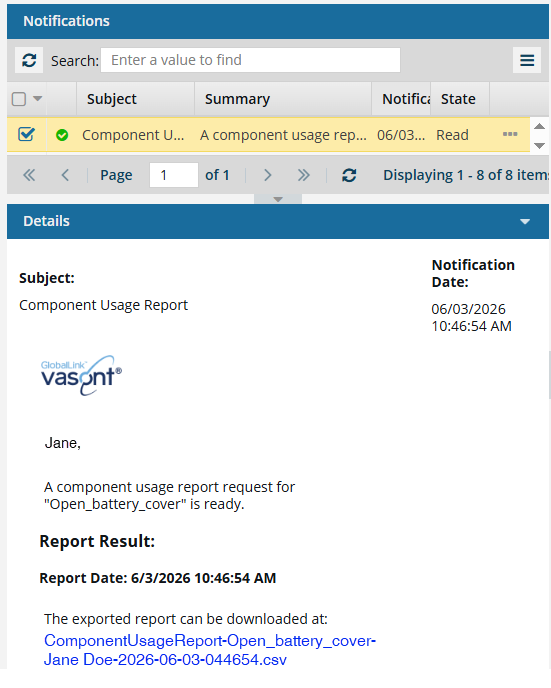
 When you run a report on a single component, Inspire adds the component name to the report's CSV file name.
 -
On your local computer, open the report to see the details.
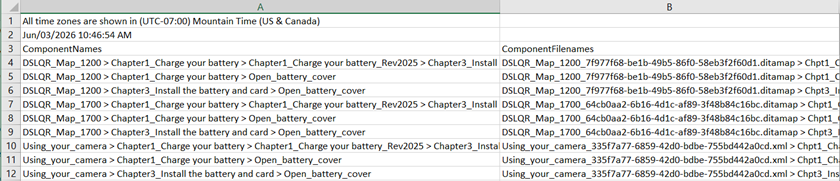 Results: There are two columns in the spreadsheet.
 - ComponentNames. This is the first column, which lists the names of components that, at some level, reference the selected component. A greater-than sign is used as a separator, and the selected component is always listed last.
- ComponentFilenames. The second column lists the same hierarchy except that the display names are appended with the GUID to create the full filenames.
The following sample report has been modified to add bolding and color.
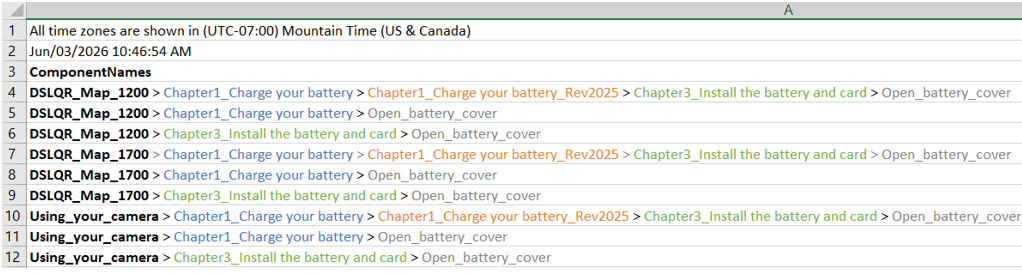
The report can be visualized in the following hierarchical relationships:

- The root-level component is shown in Bold.
On the left side:
 is directly referenced by
  .
.- has a relationship with
 because it is a branched copy of .
 - is not directly referenced by the map.
- is directly referenced by the map.
- On the right side:
- is directly referenced by
 .
. - is directly referenced by the map.