Delete logged events
If you have permissions, you can remove entries from the event log by deleting individual events or all logged events at once.
 Permission requirements
- By default, users who have the role of System Administrator or Application Administrator have access to the
 Event log menu.
 - You can grant permission to users who aren't admins so that they can access the Event logs module. Follow the steps in Update module access permissions.
- To delete an event log entry, a user must be either an administrator or have Delete permissions to the Event Logs module. Follow the steps in Update module access permissions.

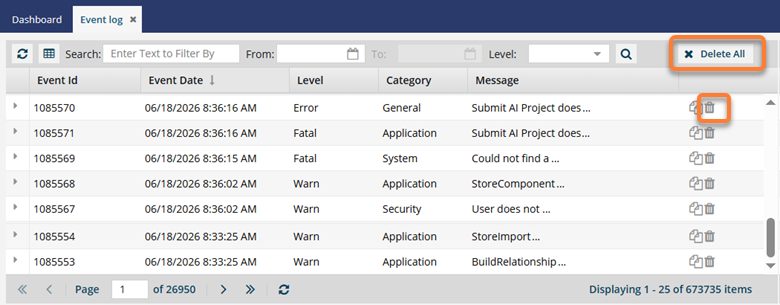
Use caution when deleting events, as the action can't be undone. We recommend that you Save a list of logged events before deleting them.
To delete one event:
-
From the top menu, select
 Event log.
-
Select an event and click
 Delete event log record.
-
In the confirmation message, click Yes.
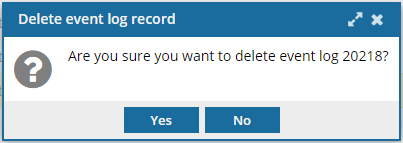 You don't see the event listed in the grid.
To delete all events:
-
From the top menu, select Event log.