Claim an assignment
Inspire sends you email when you have a new project assignment. Some assignments are initially shared among a group of users, including you. When this happens, the first person to set the assignment's status to In Progress claims it and is responsible for completing the work.
The Notification you receive when you have been included in a project assignment that you can claim looks similar to the following:
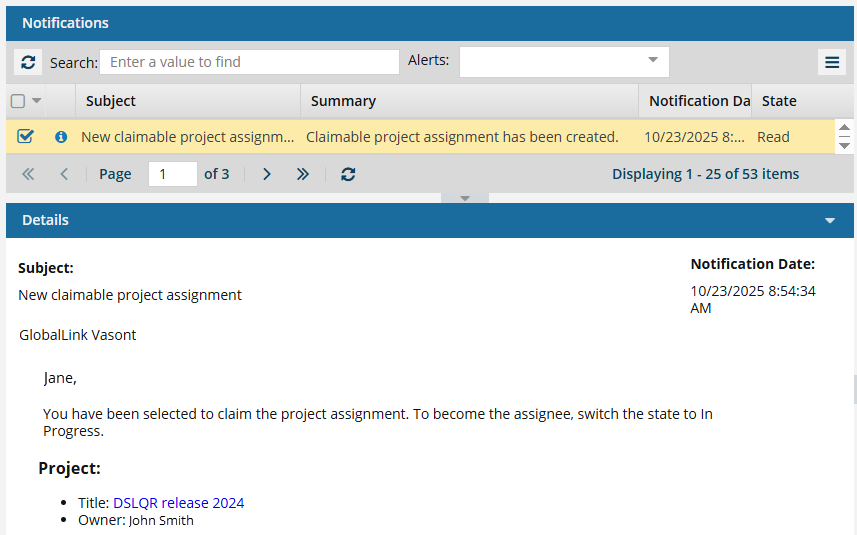
- In this case, you cannot use the notification to start work on the assignment.
- Instead, you must open the project to check and see if it has been claimed yet.

To claim an assignment:
-
In the top menu, click Notifications
 .
.
-
In the Assignments pane, look for an assignment that has a State of Ready to Claim.
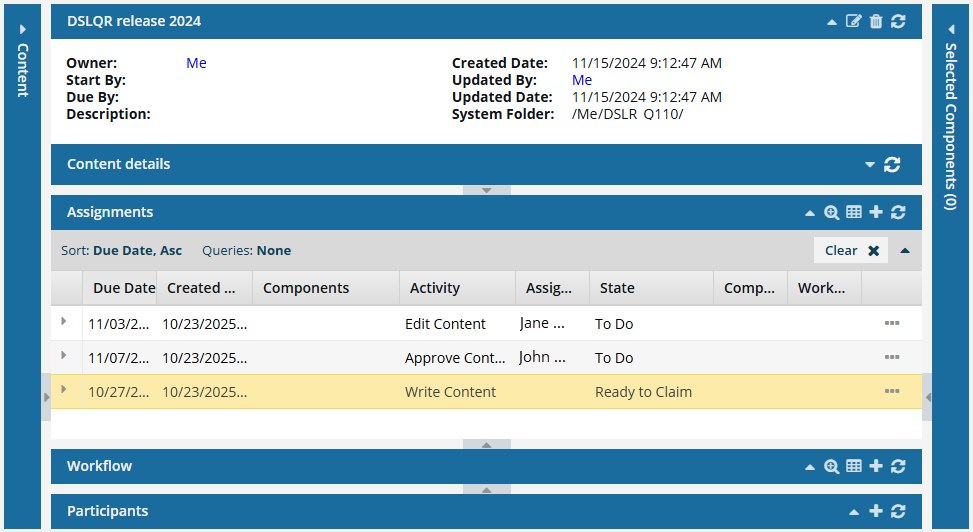
 When an assignment isn't shared with a group, the single user or role authorized to claim it will be listed in the Assigned To column. Otherwise, the Assigned To column is empty until the assignment is claimed.
  If there is no assignment with a State of Ready to Claim, then another user has already claimed the assignment and is responsible for the work.
 - You can delete your notification for a New claimable project assignment.
- You can skip the remainder of these steps.
-
In the row where the assignment's State is Ready to Claim, select
 the Options menu (or right-click), and select Claim.
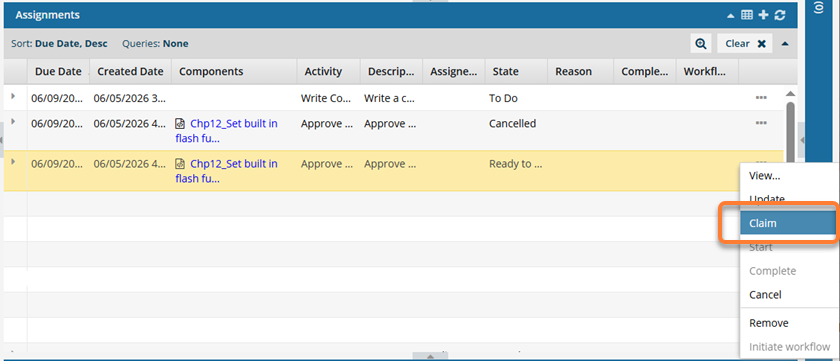 When an assignment isn't shared with a group, the single user or role authorized to claim it will be listed under the Assigned To column. Otherwise, the Assigned To column is empty until the assignment is claimed.
  Results:
- You are now assigned to this project activity.
- Inspire changes the State from ToDo to InProgress for you.
- In the Assignments title bar, use the
 Refresh button and look in the Assigned To column to see your name listed.
 - When the work is done, you can follow the steps in Complete an assignment.