Allow forced deletions
Components can contain references to other components, such as in a map. If you don't want to remove references to a component before deleting it, or just need to delete it and break the links anyway, you can force Inspire to delete the component. You cannot force the deletion of a component or folder that is locked for review or translation.
 Rules and restrictions
The rules for the force deletion of folders are NOT the same as for components.
- Folders. Both non-admin and admin users can delete a folder in the following cases:
 The components it contains have references.
 - The components are included in a project or a project assignment.
- The components are used in a publishing profile.
- The components are locked after approval.
- The ForceDeleteAllowed feature is set to either true or false.
- The user confirms the deletion a second time.
Neither non-admin nor admin users can delete a folder in the following cases:
 At least one component in the folder is in review.
- At least one component in the folder is included in a translation job.
- Components. The force deletion of one or more components is only successful if you are an admin or a non-admin user with the Delete permission to the folder.
You can force the deletion one or more components in the following cases:
- The components have references.
- The ForceDeleteAllowed feature is set to true.
You cannot use force the deletion on one or more components in the following cases:
- Components are included in a project
- Components are included in a project assignment
- Components are used in a publishing profile
- Components are locked after approval
- Components are locked for review
- Components are included in a translation job
 Use caution when using force delete. If a component has reference and is deleted, it may result in broken links. To correct invalid links, follow the steps in: Repair component relationships.

 Tips and tricks
- Deleting Components. If you set ForceDeleteAllowed to true, and the user is an admin or a non-admin user with the Delete permission to the folder:
- When you delete a component (with references, is locked for approval, or used in a publishing profile):
- You are asked to confirm the deletion.
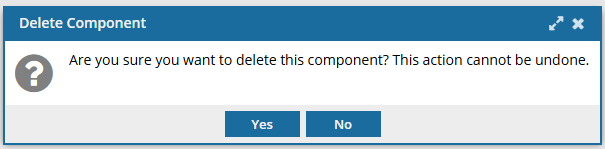
- If you select Yes, (and the component is not used in a project, assignment, review or translation job) you see a warning with a list of the links.
After you click Close, they are asked if they want to force the deletion and break links.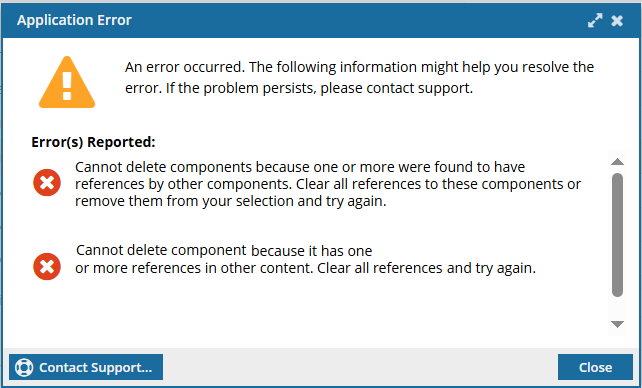
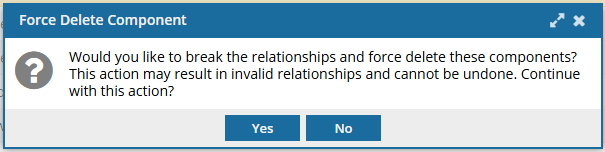
If you select Yes, the component is sent to the Deleted Items folder.
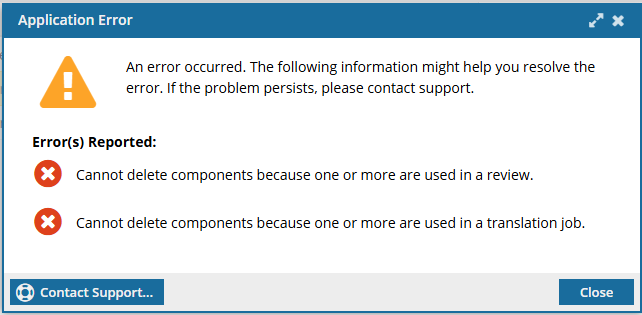
You must correct invalid links. You can do this manually or use Rebuild All Relationships to help resolve linking errors. - If the component is used in a project, assignment, review or translation job, you will see errors. After clicking Close, the component will NOT be deleted.
- You are asked to confirm the deletion.
- Deleting a folder. It doesn't matter if the ForceDeleteAllowed feature is set to true or false. Both non-admin and admin users can force the deletion a folder.
- You see a prompt to confirm if you want to delete and break the relationships.
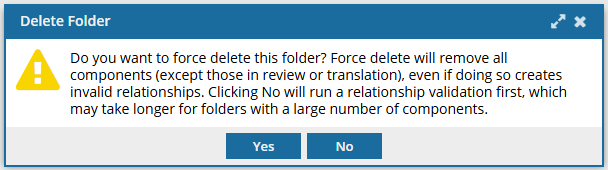
- If the folder contains components with references, but none have restrictions, the folder and its contents are sent to the Deleted Items folder. You must correct invalid links. You can do this manually or use Rebuild All Relationships to help resolve linking errors.
- If the folder contains at least one component that is restricted, the admin will see errors.
After clicking Close, neither the folder nor its components are deleted.
- You see a prompt to confirm if you want to delete and break the relationships.
- When you delete a component (with references, is locked for approval, or used in a publishing profile):
- If you set ForceDeleteAllowed to true and the user is NOT an admin:
- Components. If the non-admin user has the Delete permission to the folder, components with references can be deleted. Components with approval locks, or that are used in a publishing profile, project, assignment, review or translation job cannot be deleted.
- Folders. Both admin and non-admin users can delete a folder if the components have references, approval locks, or are used in publishing profiles, projects, and assignments. Folders with components that are locked for review or translation cannot be deleted.
- If you set ForceDeleteAllowed to false:
- Components. No user can delete a component unless they delete the entire folder where it is stored.
- Folders. Both admin and non-admin users can delete a folder if the components have references, approval locks, or are used in publishing profiles, projects, and assignments. Folders with components that are locked for review or translation cannot be deleted.
To allow an administrator to force Inspire to delete a component or folder:
-
On the Features Management tab:
- After ForceDeleteAllowed, note the state. If the feature is enabled, it says true.
-
After ForceDeleteAllowed, click
 Update.
-
The current state is displayed in a blue text box. To change the state:

- To enable the feature, type true.
- To disable the feature, type false.
-
Click Update.
Users must log out and back in to see the changes.