Start a project assignment
After an assignment is created, you must accept it by setting the State to Start. This notifies the project owner that you have started work and tells Inspire to update the State to In Progress.

 Before you begin
If you received a notification that an assignment was ready to be claimed, it means that no specific user has been assigned to complete the work. Instead, a list of possible users was identified, and they were all notified that the assignment could be claimed. To start an assignment that is ready to be claimed, you must Claim an assignment.
To start an assignment:
-
Click
 Projects.
-
On the Project Management tab, double-click to open the project that contains the assignment you want to start.
 You can also open a project by:
- Right-clicking the project and then selecting Open.
- Clicking
 the Options menu and then selecting Open.
-
In the Assignments pane, right-click the assignment and select Start.
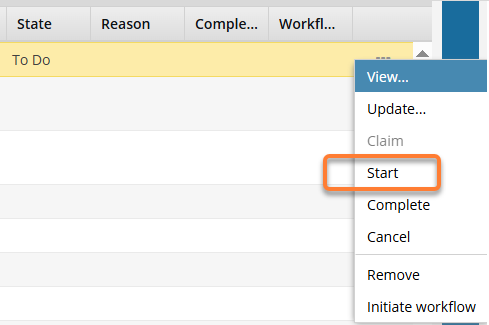 You can also select the Start option by clicking the Options menu and selecting Start.
 Results:
- Inspire notifies the Project Owner.
- Inspire changes the State from To Do to In Progress.