Manage the Content Browser module
As an Inspire administrator, you can manage access to the Content Browser as a module. The Content Browser is what the user sees when they select  Components from the top menu option.
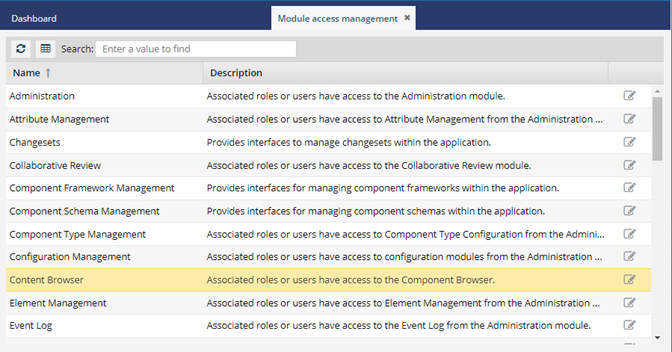
When you select the Content Browser row and select  Update, you have access to the following tabs to control access:
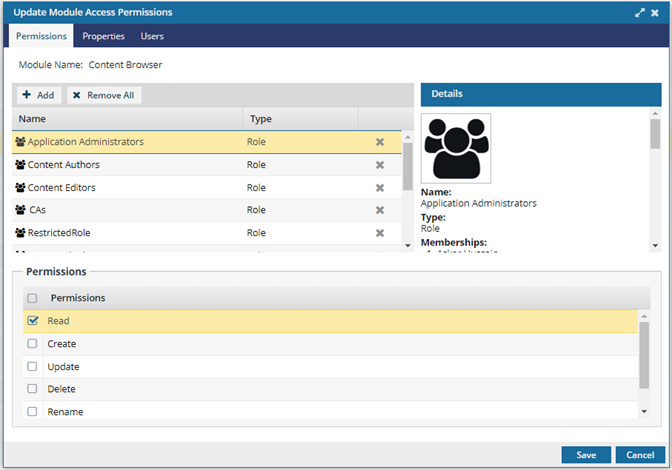
- On the Permissions tab, use an inset Details pane on the right to see information such as Name, Type, and Memberships of the user or role granting them access to the module.
- Select a user or role to view the Details in the inset pane on the right.
- Select the Properties tab to see what granular tasks you can grant to a user or role.
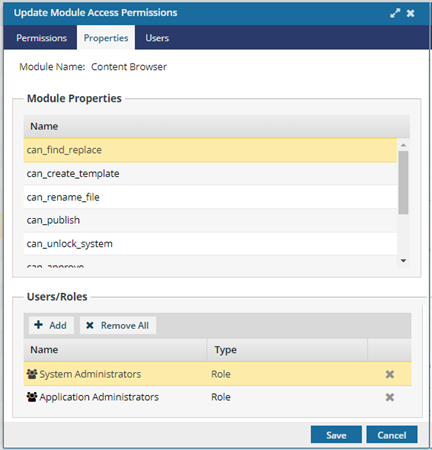
- For example, you select an option to make the Find and Replace feature (can_find_replace) available to non-admin users, and add the usernames or roles to that property.
- Select the Users tab to display a list of users with access to the module.
- This list is read-only.
- You can add users on the Permissions tab either through a role or as an individual user.