Find components in cancelled jobs
If you need to find components that are part of a canceled translation you can use Advanced search.
 Required Permissions
 For full access to all translation jobs, you must be an administrator.
- An admin can edit and cancel any translation job regardless of Translation module permissions.
- To configure permissions, administrators can follow the steps in: Update module access permissions.
- For full access to your own jobs, you must be a coordinator.
- Coordinators retain access to their own jobs regardless of Translation module permissions.
- A user who is the coordinator of a job can still edit and cancel it even if they have no explicit Translation module-level Update permission.
- To edit and cancel any translation job, a non-admin user must have both the Read and Update permissions for the Translation module.
- To see all jobs, a non-admin user must have the Read permission for the Translation module.

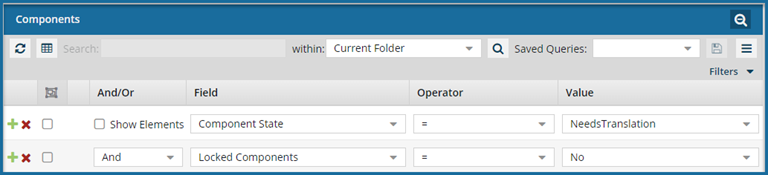
To find components in cancelled jobs:
-
Click
 Components.
-
On the Components tab, click the advanced search icon
 .
.
-
To add additional search parameters, click Add
 .
.
-
To run your search, click the search icon
 .
Your search results are shown on the Translations Management pane.
.
Your search results are shown on the Translations Management pane. -
To save the list of components that match the search in a CSV file, click Save as CSV
 .
.