Add an attribute
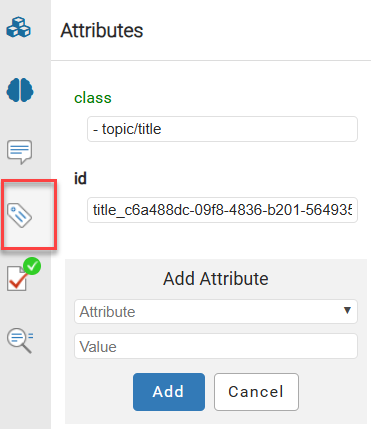
When you're working on a document in the Oxygen-based editor, you can provide extra information about an element in the Attributes pane. After you add an attribute, you can go back and change its value or delete it.
 Restrictions
An administrator can mark any attribute as Protected.
- This may prevent you from working with attributes unless you have special permissions.
- If you encounter a permission error when saving your attribute changes, contact your Administrator.

To add an attribute:
-
Go to the right panel, and select
 Attributes.
 If the right panel is not open, go to the bottom of the screen and click
  the Show arrow.
 -
To edit the attribute, click inside any attribute value box to change the value.
For example: to delete the attribute id shown here:
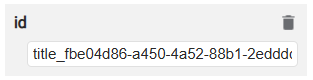
a. Click in the box under id showing the value: title_fbe04d86-a452-88b1-2eddd...
b. To delete the ID, click
 the delete icon.
 -
To add an attribute, do any of the following:
- Use a keyboard shortcut. Press Alt+Enter.
- Use the right-click menu. Select Edit Attributes...
- Use the right-side panel. Click Attributes , and then click Add Attribute. If the right-side panel isn't open, click the left arrow
 .
.
-
To save your changes to the document, in the toolbar click
 Save and Submit.