Delete template activities
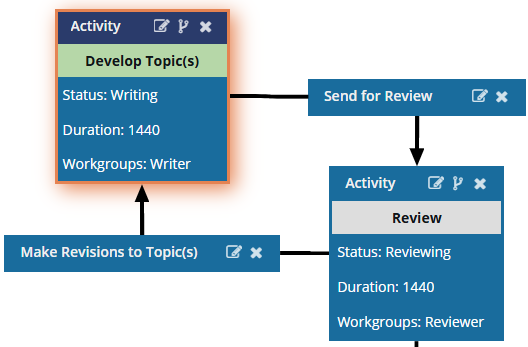
Inspire provides you with a template for the processes of getting reviews on content or developing content. Inspire workflow templates are designed around an Activity. An activity represents a task that needs to be done to complete a step in the workflow. If you want to remove a task from a workflow, you can delete it from the template.
 You must have permission to work with workflow templates.
- By default, only users with the following permissions can create project workflows and assignments:
- Administrator permissions
- Access to the Project Module with the Create permission
- Even if you don't have these permissions, you can be granted a special permission to create workflows and project assignments after a project is created.
- If you are an administrator, refer to Allow users to create project assignments and workflows.

 Tips and tricks
- Activities are exclusive to the template they are in. If you delete an activity from one workflow template, such as Review Topic, it will not remove any other Review Topic activities in other templates.
- You can update an activity and its transitions instead of deleting it. Follow the steps in:
- If you want to create a copy of an existing activity before deleting it, you can Copy and paste an activity.
- After you delete an activity, if you need to add a new one, you can Add an activity.
- After you delete an activity, you will have to repair the transitions that connected the activity to the workflow.

To delete an existing activity from a template:
-
Click
 Components.
-
In the Folders pane, select Workflows.
 If you have moved the template to another folder, go that location instead.
 -
In the Components pane, select a workflow.
To open the template, do one of the following:
- Double-click the file
- Right-click the file, and then select Edit...
- Click
 the Options menu, and then select Edit...
 Results: You see the workflow activities and transitions in the editor.
 -
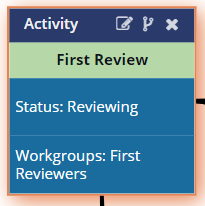
In the workflow editor, select the Activity you want to remove.
Result: The box you select has an orange highlight around it.
-
In the Activity title bar, click
 Delete.
-
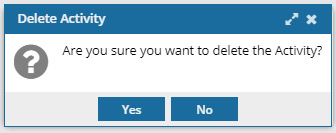
On the confirmation screen, click Yes.
-
You will need to create or update any broken transitions between other activities and the one you deleted.
Follow the steps in Manage workflow transitions in a template.
-
To save or continue working:
- If you are done updating the workflow, to close the workflow editor, click
 Save and Submit.
 - If you want to keep working but save your changes locally, click
 Save Progress.
Results:- The changes to an Activity will be applied to all new workflows that are started using this template.
- For workflows that use this template and are in progress:
- If the Activity you are updating has not occurred yet, the changes will be applied when the workflows moves to the updated Activity.
- If the Activity you are updating has already been completed, the changes will not be applied.
- If you are done updating the workflow, to close the workflow editor, click