Understand workflow notes and statuses
After you create a workflow, you see more tracking details by reading the notes users can leave when completing a task, and by seeing the workflow template with status highlights. The Notes and Status options are only available for Topic workflows.
 Required permissions
To create, view, update, and delete workflows you must either be an Administrator, the project Owner, or have the following permissions:
- Create, read, update, and delete permissions to the
 Projects module.
 - For the Projects module, your user account must be listed under the following Property: can_initiate_assignment.
- If you are an administrator, refer to Allow users to create project assignments and workflows.
To work with Review workflows, you also need:
- Create, read, update, and delete permissions to the
 Reviews module.

After you create a Topic workflow, you see more tracking details in the following ways:
- Notes. When you create a workflow you can enter a Description of the work that needs to be done and a Note to the user who is completing the first task.
Each time a task in the workflow is completed, the user has the option to add a new Note to help guide the next user in completing their task.
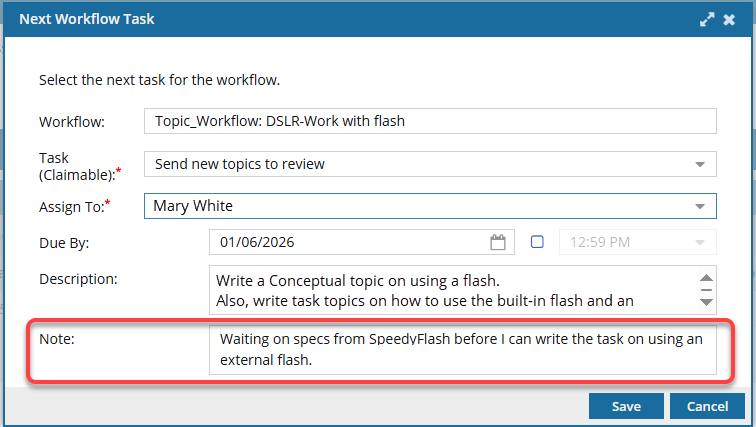
 The user also has the ability to edit the Description. Unlike a Note, any changes to the Description overwrite the previous version.
For any active workflow, you use
 the Options menu to select and View workflow notes. This lets you see all Notes added during the workflow's progress.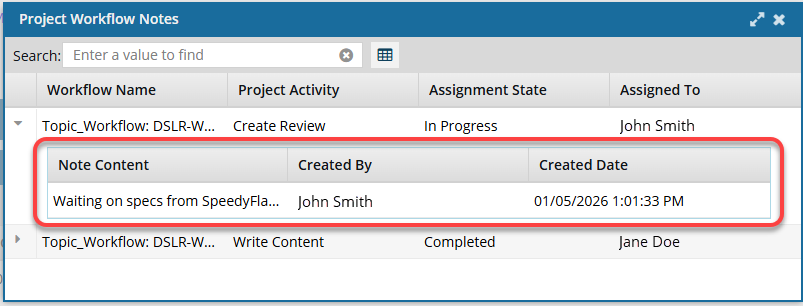
- Status option. For any active workflow, you use the Options menu to see a visual representation of the workflow and its progress.
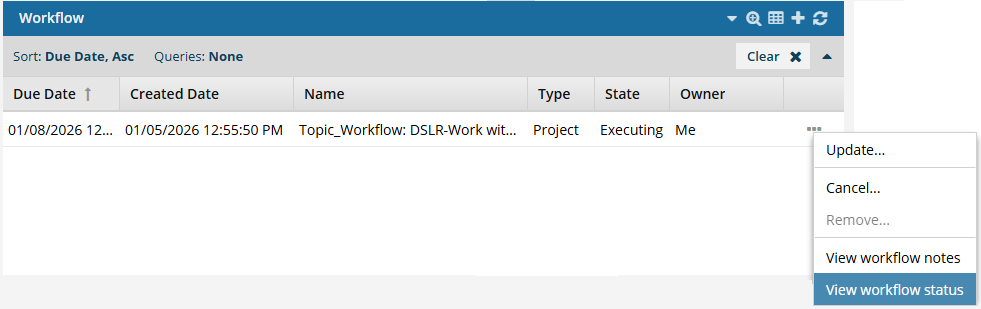
You select View workflow status to open a read-only version of the template used to create the workflow.
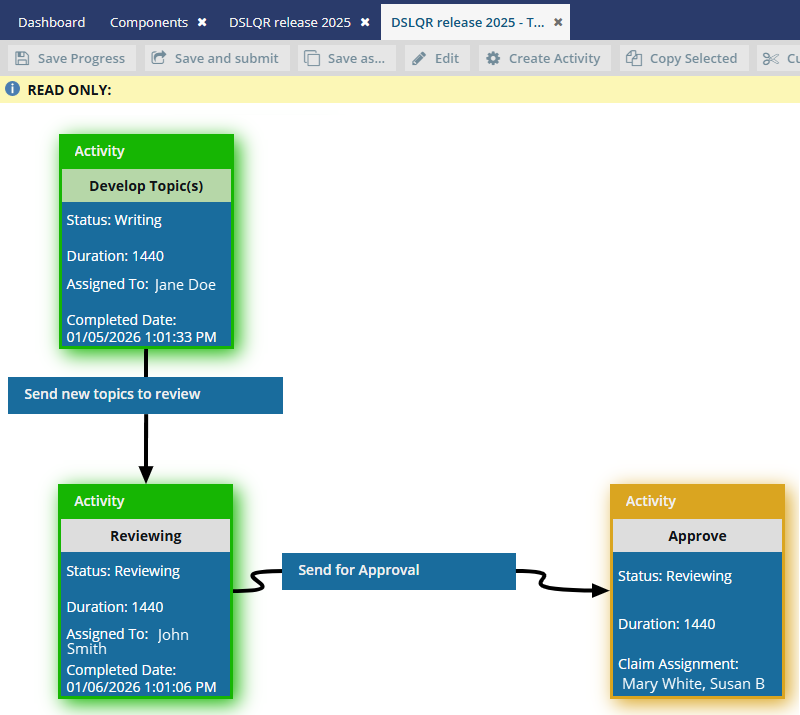
A new tab opens and displays the Activities and Transitions used in the workflow template.
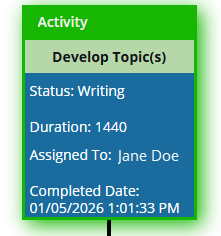 Completed activities are shown with a green highlight.
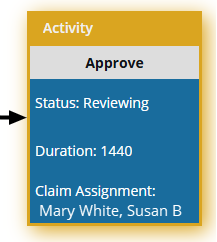 The current activity is shown with a yellow highlight.
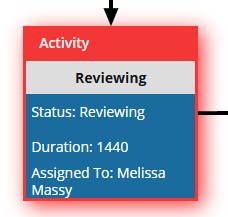 An overdue activity is shown with a red highlight.
The Notes and Status options are only available for Topic workflows.