View a snapshot
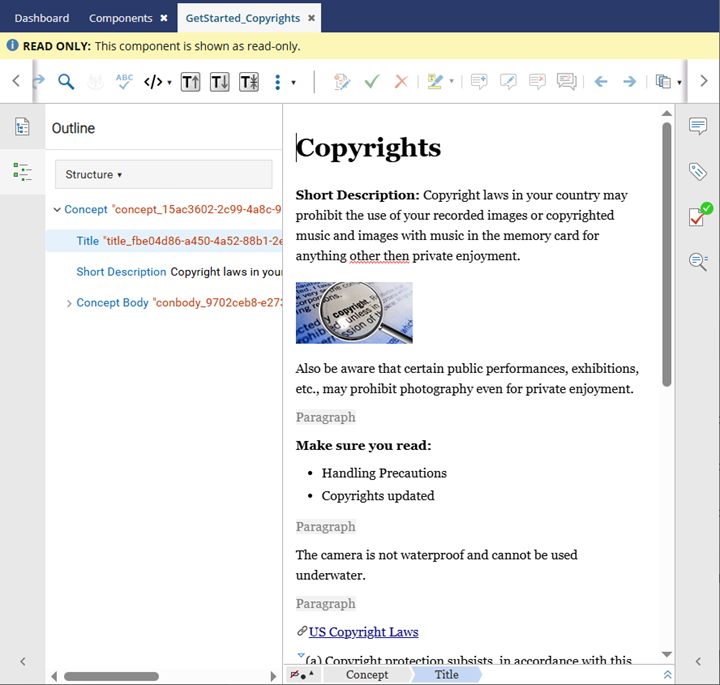
As you work with a component in Inspire, changes between versions are stored in a history record called a snapshot. Inspire creates some snapshots for you. You can also take a snapshot of a component at any time. To see a read-only version of the data captured in the history record, use the View option to open the component in the Oxygen editor. For more information on snapshots, read Manage versions in snapshots.
 Tips and tricks
- Can I edit a snapshot?
- Not directly, but you can save it as a new component or export the content in various ways.
- Can I compare snapshots?
- Yes, from the History tab, you can choose Compare with... and use the Oxygen read-only viewer to see the differences between the two files. Refer to Compare snapshots.

To view a snapshot:
-
Click
 Components.
-
In the Components pane, right-click the component and then select Details...
 You can access the same menu by clicking
  the Options menu.
 -
To see a read-only version of the component exactly as it appeared, right-click on a snapshot and select View.
 Results: You see a read-only version of the component that includes the data as it existed at the time the snapshot was taken.