View your export plugins
In DITA Open Toolkit (DITA-OT), a plugin is the main way to extend or customize how DITA content is processed and transformed into output. After you add a plugin, you can use it when you create an export configuration.
 Required permissions
You must have administrator permissions to work with export configurations.
- If you go to the top menu and can see the
 Administration option, then you have the necessary permissions.
 - If you can't see the Administration menu, contact your local administrator.

To view your list of available plug-ins:
-
From the Administration menu, select Export settings, and then Export plugin configuration.
-
On the Export plugin configuration tab, you can see the plugins installed in your organization's instance of Inspire.
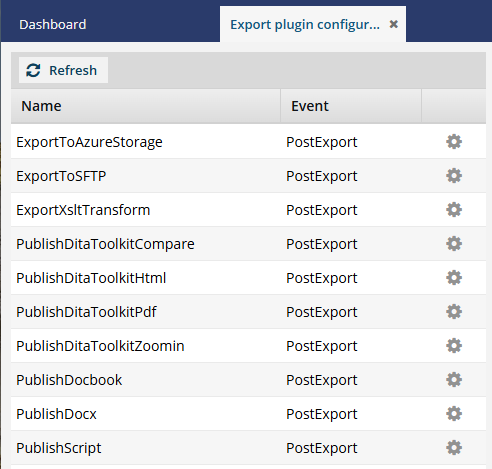
 This list varies by customer.
 -
Optionally, to open the configuration you want to update with plug-in parameters, double-click the name.
 Tips:
Tips:- You can also open the configuration by selecting Update
 .
.
- You can also open the configuration by selecting Update