Understand how AI indexing works
Inspire provides a way to add content to an AI index. The index powers a search that authors can use to develop content. It can also help you provide quick answers for your customers if you are creating your own chatbot.
 To access this premium feature, you must purchase it separately. Contact your Vasont customer representative to invest in efficiency and discover how AI can elevate your search experience today!
- Unlock the Power of AI-Driven Search Experience.
- Get smarter, faster, and more intuitive search with our advanced AI-powered technology.
- Gain deeper insights, find exactly what you need, and streamline your workflow—all with precision and ease.

 Before you begin
- Images are not supported in an AI index
To build up an AI Index:
- Setting up AI
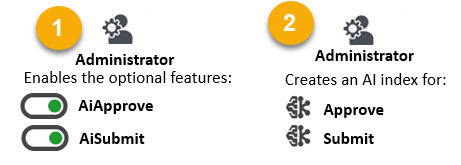
 An administrator must enable the ability to create an index.
  Enable the AI feature and options
 Next, an administrator must use the
  Administration module to open the AI configuration management screen to create an index to store the AI data.
 - Adding content to the AI index
After an administrator creates an index, Inspire adds to it automatically.
- If an admin creates an Approve index, anytime an Inspire user approves a component, Inspire automatically adds that component's data to the Approve index.
- If an admin creates a Submit index, every time a user edits a component in Oxygen and uses
 Save and Submit to save their changes, Inspire adds that content to the AI Submit index automatically.
To use an AI Index:
- To use the AI Approve index, admins can copy the index's ID to access the content from a proprietary chat bot.
 If you are creating your own chat bot and want to search the content you've added to the Inspire Approve index, you can use the index ID number. Administrators can go to the Administration module to open the AI configuration management screen and copy the AI index identifier that developers would need to reference.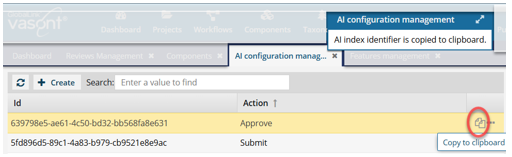
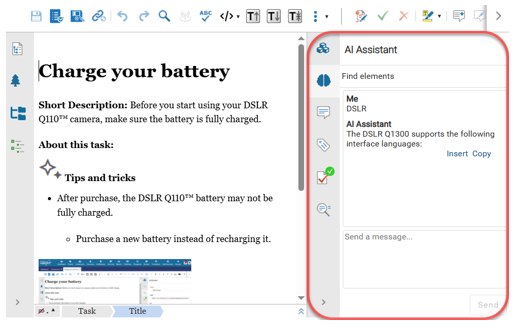
- To use the AI Submit index, authors can ask the AI assistant a question in the Oxygen XML editor about indexed content .
 Maintaining data in the index is easy!
- Whenever you update and submit a component, Inspire automatically updates the content in the index.
- You can also manually update content in the AI index from the Selected Component panel in the following ways:
- If you're using an index for approvals, when you unapprove a component, the content remains in the Approve index. However, after you make your changes and approve it again, the old content is replaced with the newly approved content.