How to name a component
Inspire uses different names for the same component to help you find a topic quickly, no matter what task you are doing. After you understand where each name is used, you can create the most efficient name for each type of task and role.
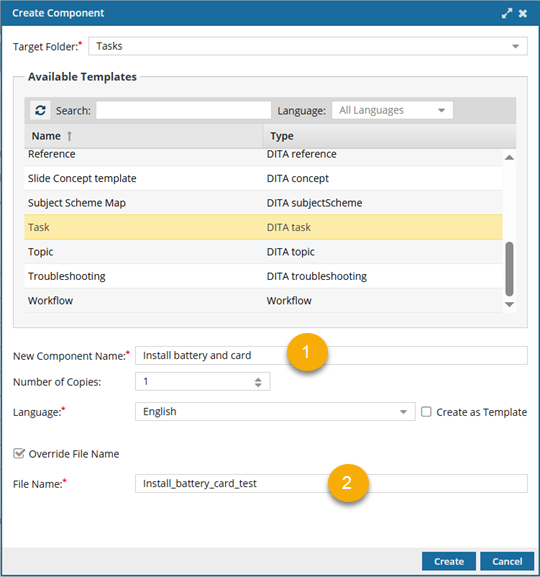
 The Component name can be user-friendly, helping authors and coordinators quickly understand the topic's content.
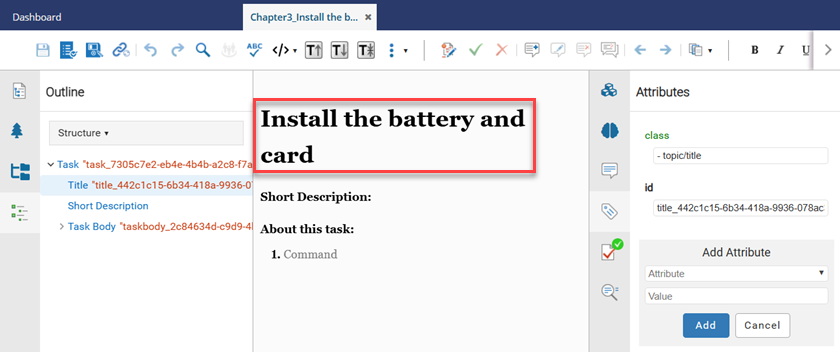
 The Component name is also used as the Title in the Oxygen editor. By default, it is the same as the Component name when you create the topic, but you can change it in the Oxygen editor

 The File name includes the Component name (which you can override), plus a GUID and the extension (file type) added by Inspire.
- This name is most often used by administrators and production staff who might need to know the version or can understand a shorter, less-friendly name.
- The Component Name is used, except with underscores instead of spaces, to make it easier for Web services, scripts, and plugins to process.
What do you want to learn more about?
Component Names
You see the Component Name when you are:
- Searching
- Sorting the grid
- Adding a component to a project
- Sending a component to translation
- Working in the Deleted Items folder
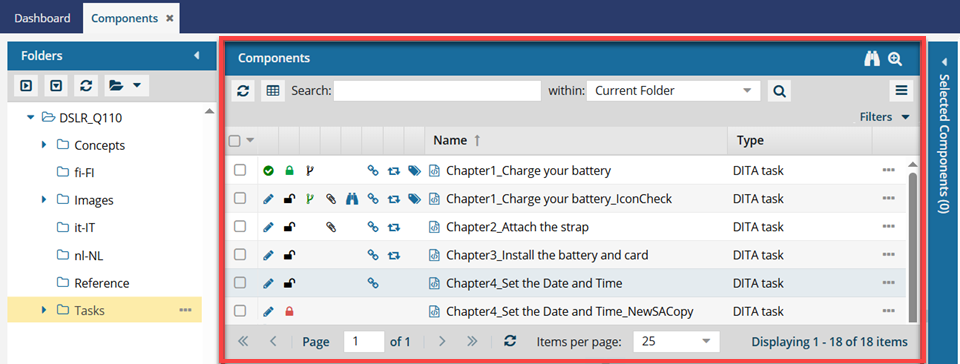
This is typically user-friendly, helping authors and coordinators understand the topic's content.
Recommendations:
- This name can include underscores.
- This name can include special characters like brackets [], but it's not recommended.
- You must use a component Name of 100 or fewer characters.
Component Titles
You see this name when editing or viewing a component in Oxygen.
Recommendations:
- Titles can contain underscores or special characters, but it's not recommended.
- The Oxygen editor does not have a restriction on the Title length.
Component File Names
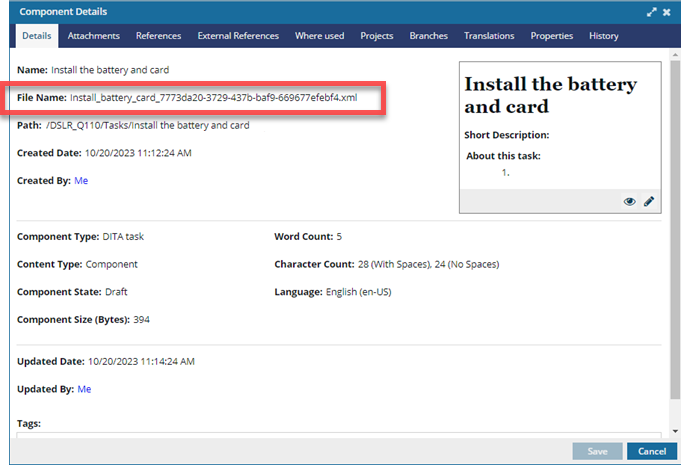
File names include the Component Name_GUID.extension(file type).
For example: Install_battery_card_7773da20-3729-437b-baf9-669677efebf4.xml
- You can use the default Component Name (Install_the_battery_and_card) or override it (Install_battery_card).
 The Component Name is used, except with underscores instead of spaces, to make it easier for Web services, scripts, and plugins to process.
 - Inspire adds a GUID, a globally unique identifier (_7773da20-3729-437b-baf9-669677efebf4).
- Inspire adds the file extension to create a file that can be exported and saved as an XML file (.xml).
You can see the File Name:
- When creating a component (if you select the Override File Name option)
- On the Details tab
- When renaming a component (if you have permissions and select the Rename File option)
- When importing and exporting components
- When renaming a file (if you have permissions)
Recommendations:
- This name includes underscores instead of spaces, to make it easier for Web services, scripts, and plugins to process.
- This name can include special characters like brackets [], but it's not recommended.
- File names must be 150 or fewer characters.
When you import a file back into Inspire, the file name and GUID together must not exceed 200 characters.
If the file name and GUID length exceeds 200 characters, Inspire won't import the file.