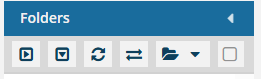
Hide translation folders
You can refresh the folder list to show all folders except those that use the format for translation target folders (xx-XX).
 If you rename a translation folder, for example, fr-FR to French translation, the renamed folder will not be hidden even though it contains translated content.

 Tips and tricks
- If you only want to refresh the folder list without hiding anything, use either of the following options:
- Refresh all folders—To update the entire folder hierarchy, go to the Folders toolbar and select
 the Refresh (all) option.
 - Refresh one folder—To refresh the data for one folder only, select the folder, click
 the Options menu, and select Refresh. Inspire only refreshes the selected folder and shows only the first level of sub-folders and components it contains
- Refresh all folders—To update the entire folder hierarchy, go to the Folders toolbar and select
To hide translation folders:
-
Click
 Components.
-
In the Folders panel, in the toolbar directly beneath the title bar, select the last option,
 Hide Translation Folders.