Insert elements in the editor
You can insert elements into the document you're editing using the toolbar and the right-click menus in the editing and Outline panes.
 After inserting an element, you may or may not see element IDs. An administrator can configure an element to never be assigned an ID.
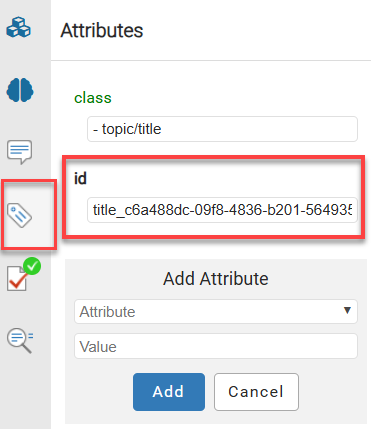
For example, if a Ditabase component is created or imported into Inspire, normally an ID is automatically added to the root-level <Dita>. For Ditabase, this ID renders the component invalid when opened in the XML editor because IDs are not allowed on a DITA component.
If an element is configured not to use IDs:
- When content is imported, no ID is generated
- In the Oxygen editor, no ID is generated when the Generate IDs or Save and Submit options are used
- This behavior is enforced even if the AutomaticIds option is turned on

In the Oxygen editor, when you select  Generate IDs, Inspire only puts a valid ID on elements if the NeedsId identifier is selected in their element configuration. Administrators can follow the steps in: Configure an element as NeedsID.
| Element | Toolbar Option |
|---|---|
| Image |  |
| Paragraph |  |
| Sections |  |
| Ordered Lists (and list items) |  , ,  |
| Unordered Lists (and list items) |  , , |
| Tables (rows, columns, join, split, and properties) |  |
| Links (cross-reference, file, web, content reference, and key reference) |  |
| IDs | |
| Profiling attributes |  |
| Element | Option |
|---|---|
| Table (2 columns, 4 rows) |
 |
| Image (JPG , PNG , or BMP) |
 |
| Equation |  |
| Note |  |
| Codeblock |  |
| Menu cascade (To insert a series of menu choices using one or more user interface control <uicontrol> elements.) |
 |
| Definition list |  |
| Paragraph |  |
| Sections | 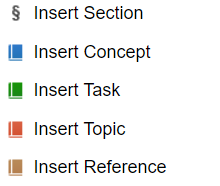 |
| Select from a list of all available elements |  |
| Option | Sub-options |
|---|---|
| Append child (element)... | Offers a list of valid nodes, depending on the context, and appends your selection as a child of the currently selected node. |
| Insert before... | Offers a list of valid nodes, depending on the context, and inserts your selection before the currently selected node, as a sibling. |
| Insert after... | Offers a list of valid nodes, depending on the context, and inserts your selection after the currently selected node, as a sibling. |