Edit an existing value for a profiling attribute
You can edit profiling attribute values to provide authors with attributes they need to identify conditional text. You can also update the Default Filter value.
 If you change the value of an existing Profiling Attribute:
- Any existing content already using the Profiling Attribute won't be updated.
- Only after you save your Profiling Attribute value changes will the user be able to apply it to new instances.
- You can manually update existing content that used the old Profiling Attribute value.
- You can use the Find and Replace feature to manually update existing content that used the old Profiling Attribute value. Read: Find and replace attribute values.

To edit an existing value for a profiling attribute:
-
Click
 Administration, then Advanced settings, and then select Profiling attribute management.
-
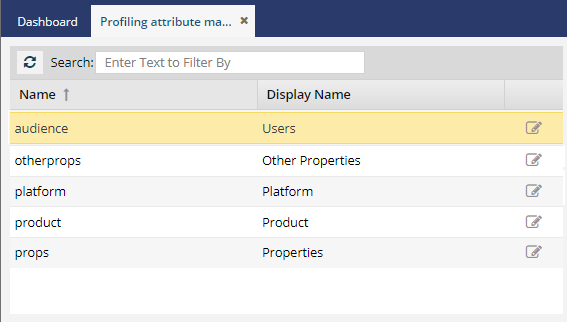
On the Profiling attribute management tab, to edit a profiling attribute, do one of the following:
- Double click the attribute in the list
- Click
 Update
-
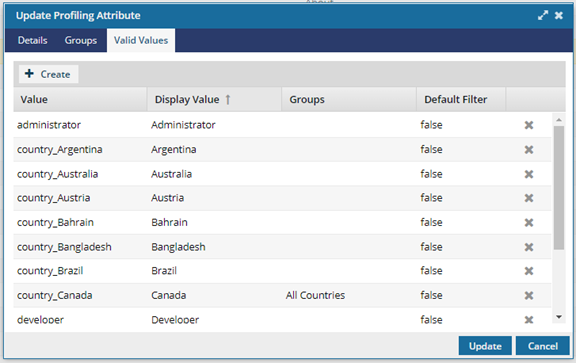
On the Update Profiling Attribute screen, select the Valid Values tab.
-
Find the value you want to update and double-click the row.
 Result: The row's fields become editable so you can update the value.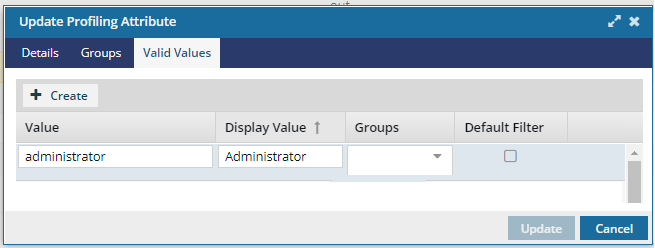
-
In Value, edit the one word string that describes the category without using special characters or spaces.
 Tips and tricks
- The Value field is required and can't be left empty.
- You can't create a group with the same value as another group or attribute value.
- If you don't enter a new value, a default string of Value and a number is used.
-
In Display Value, edit the title you want authors to see when selecting a profiling attribute.
Tips and tricks
- You can use special characters and spaces in Display Value.
-
Optionally, to identify this value as the one selected for a user by default when filtering attributes, select the Default Filter option. If you don't want this value to be the default one, clear the checkbox.
Tips and tricks
- This Default Filter value is only used in the following places:
- In the Oxygen Editor on the Filter Profiling Attributes screen.
- When publishing a component on the Filter Profiling Attributes screen.
- When translating a component on the Filter Profiling Attributes screen.
- The user filtering the attribute can leave the default value or select another one.
- This Default Filter value is only used in the following places: