Create an assignment
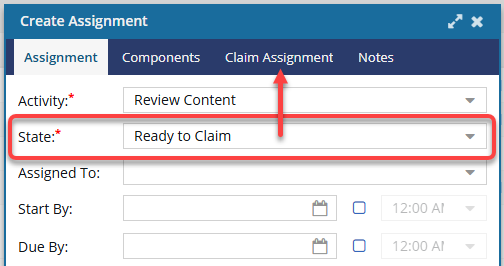
You can create assignments to get project work done. If you don't know yet who will do the work or the components haven't been created, you can still create assignments. You only have to identify the Activity, such as Write content, and the State, such as To Do, to add an assignment to the project. If you select a State of Ready to Claim, you must also identify the users or roles who can claim the assignment.

 You must have permission to the Projects Module to work with projects.
- By default, only users with the following permissions can create project workflows and assignments:
- Administrator permissions
- Access to the Project Module with the Create permission
- Even if you don't have these permissions, you can be granted a special permission to create workflows and project assignments after a project is created.
- If you are an administrator, refer to Allow users to create project assignments and workflows
 Tips and tricks
- You must have an existing project. Before you can create an assignment, you must have a project. Create a project if one doesn't exist.
- Customize your activities. Inspire administrators can add options to the Activity list or update the default values. Follow the steps in Add a project activity configuration.
- Work with participants. You can assign work to a single participant or to a group of users who can claim the assignment.
- If you want to identify who can work on an assignment when you create it, you can select a member of the project team. If you select a user who is not already a part of the project, they are automatically added to the Project participants. Follow the steps in Add participants to a project.
- If you try to assign work to a participant who doesn't have access permissions to a component in the assignment, you will see an error with the name of the restricted component.
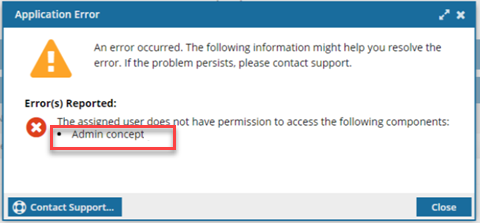
- You are returned to the Create or Update Assignment screen to change the participant or the component.
- For details on how to set permissions, refer to: Set permissions.
- Make an assignment Claimable. A project assignment can be given a State of Ready to Claim. In this scenario, no specific user is assigned to complete the work. Instead, a list of possible users is identified, and they are all notified that the assignment can be claimed. The first user to claim the assignment by setting the State to In Progress can complete the work. This option to make an assignment Claimable is available when working with project assignments and workflow activities.
Component options. When you create an assignment, if you include multiple components in the assignment, you have the following options:
- Create a separate assignment for each component
- Keep all the components in this single assignment
If you choose to create an assignment for each component you included, all assignments that Inspire creates will have the same activities, states, and properties as the original assignment.
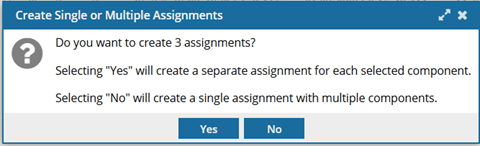
 You only see this option when you create an assignment. You must:
- Add multiple components
Click Create
 You do not see this option when you are updating an assignment by clicking Update.
- You can create an assignment without adding components. If you do this and update the assignment later to add multiple components, you will not see this option.
- Even if you are updating an assignment that originally had no components included, and you add multiple components, when you click Update, all components are added to the existing assignment.
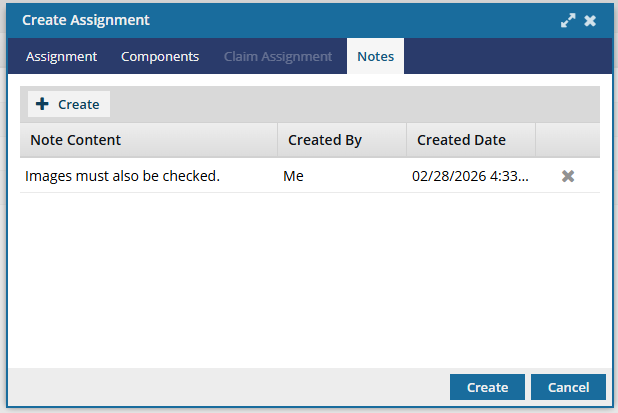
Add Notes. If you need to provide the user with more instructions on the work to be done, you can add a list of notes.
- You do not need any special permissions to add assignment notes.
- When you click Create, the Project Assignment Note screen opens.
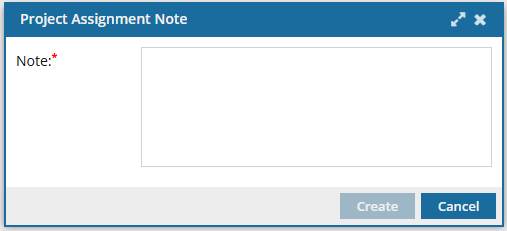 There is no character limit in this Note field.
 - On the Notes tab, you see a list of each note created.
- The Note Content column displays up to 50 characters.
- To display entire note, hover your cursor over truncated text.
- The Notes you enter can be seen in:
- Assignment Notifications
- When using the View Assignment option in a project