Complete an assignment from the dashboard
You can mark your assignment as complete from the dashboard without having to open the project.
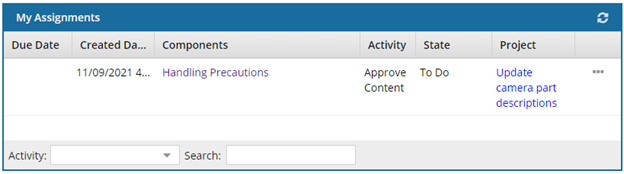

To complete an assignment from the dashboard:
-
On the Dashboard, in the My Assignments pane, right-click the assignment you've finished and select Complete.
 You can also complete an assignment by selecting the assignment, clicking
  the Options menu and then selecting Complete.
 -
On the Complete Assignment dialog, click Yes.
 Results:
The assignment is removed from the My Assignments pane.
Inspire now automatically creates a snapshot of all components included in an assignment when you mark the assignment as Completed. - Inspire assigns the snapshot a Process of CompleteAssignment.
- Inspire also gives the snapshot a comment that contains the project name, the workflow name, and the assignment name.
- You search for the snapshot on the Changesets tab using a Process option of CompleteAssignment.